 IT
 EN
 FR
 ES
 PT
Remote voting
Organization of the votes involving religious men and women in different places and countries.

Suffragium · The features
Suffragium features for voting and participation, to be organized according to the needs and responsibilities of your Congregation.
Organization of the votes involving religious men and women in different places and countries.
Choice of method in relation to the decision and internal procedures of the Institute.
Election of general, provincial or local superiors and appointment of councils and governing bodies.
Chapter approvals, internal consultations and processes of discernment or renewal of positions.
Configuration of voting and of those entitled by authorized superiors and administrators.
An organized reference to follow the process from setup to completion.
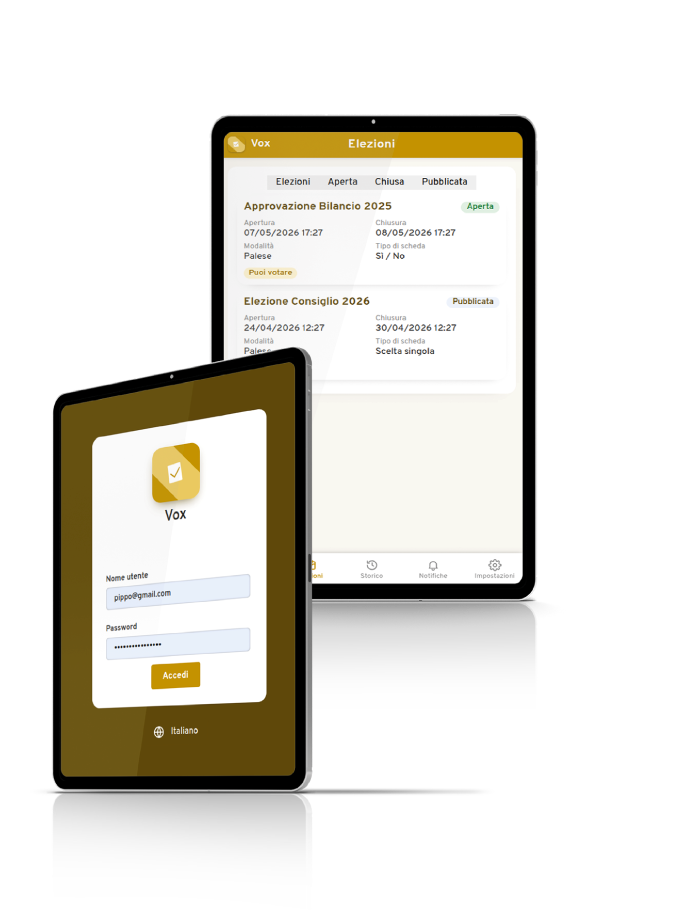
The app dedicated to voters allows you to consult ongoing votes, vote and view the results in which you have participated.
Use on Android and iOS smartphones and on computers, even with a temporary Internet connection to access and participate.
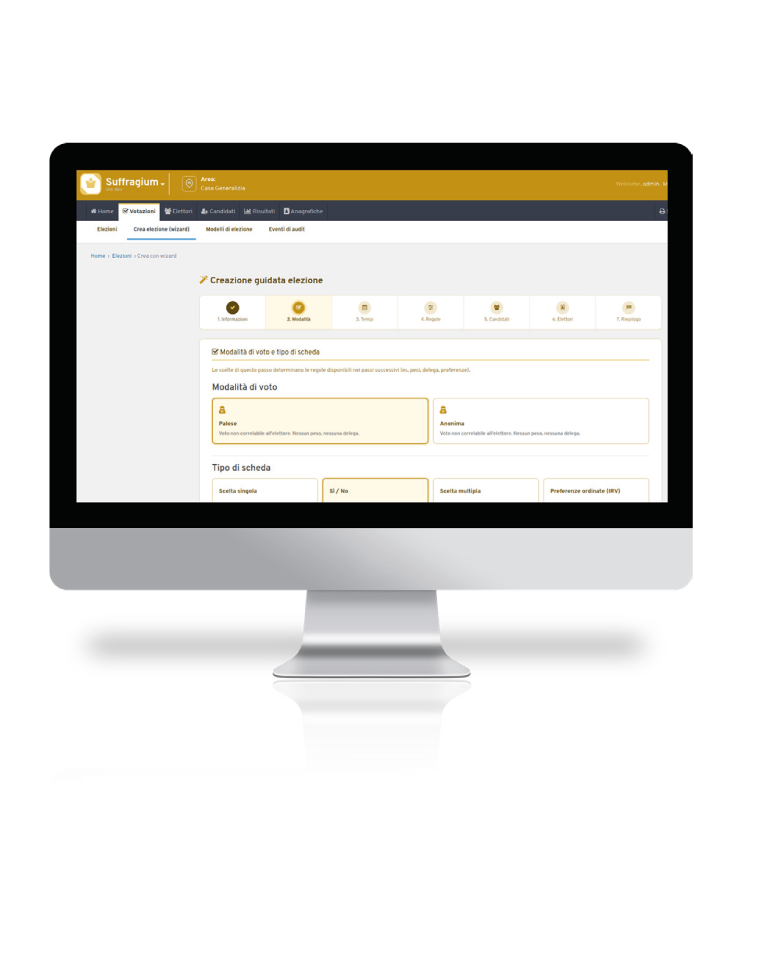
The program in practice
The official image shows the guided creation and the choice of voting methods.
The program in practice
The official image of the app shows the access and the list of available votes.
Configuration and training
Together we evaluate needs, people to involve and the first useful step for your Congregation.
Let's talk about Suffragium ↗