IT
 EN
 FR
 ES
 PT
Contact details and domicile
Phones, addresses and contact information collected in the profile.

Ego · The app connected to Publius
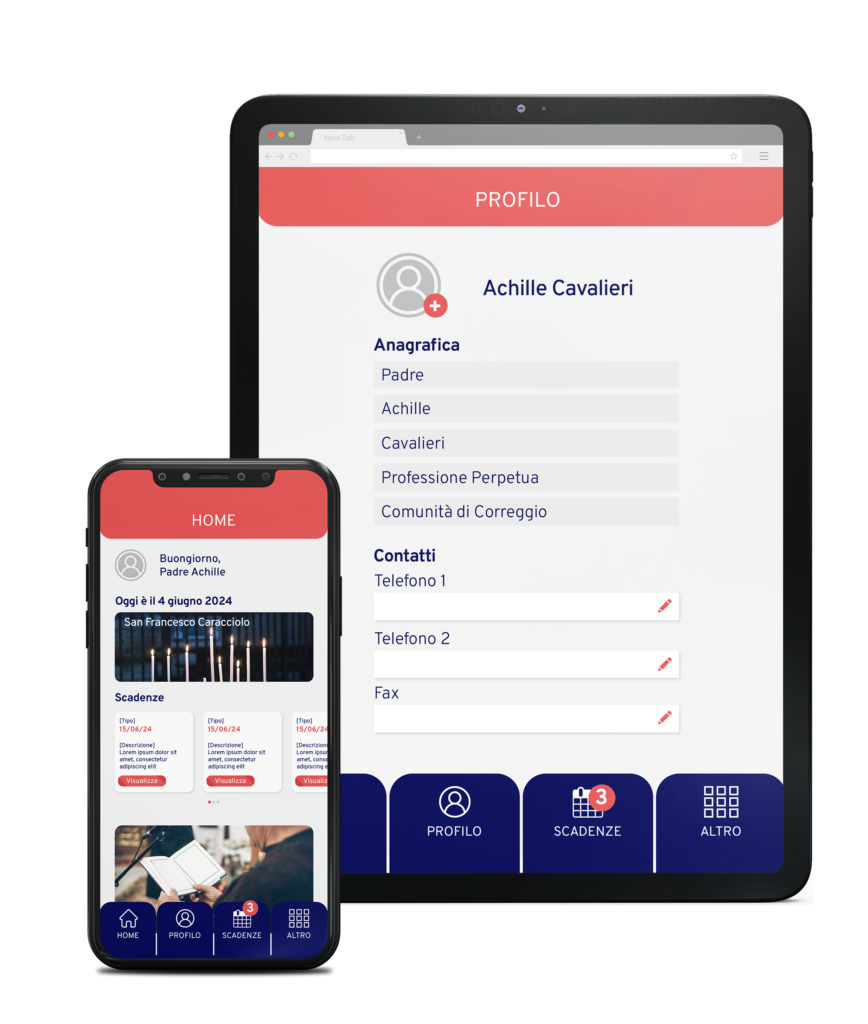
Consult your profile and update the data enabled by the General Secretariat, with intuitive use connected to Publius.

A response to a concrete need
A changed address or information left in an old email can make the registry less reliable. With Ego, each authorized religious person can update the permitted data and consult your deadlines, such as passport and assignment deadlines, reducing the number of steps with the secretariat.
Getting started
The General Secretary authorizes access and defines which data you can update and which remain the responsibility of the secretariat.
Open your profile and start from the data you already know, such as telephone and address.
When contact details, studies or other enabled data change, report the change in the app.
Features
Phones, addresses and contact information collected in the profile.
Information on relatives and study path.
The deadlines of your profile, collected in a single reference.
Use the app on Android, iOS and computers.
The app in practice
The official image shows your personal profile and home screen on tablets and smartphones.